
This is from some Facebook info from Storm Oshyer…many thanks
I made up some individual SFX locking and unlocking files.
Using a few different sounds together, from K.I. ., Squid Game and Star Trek
— update —
As everyone is asking how I finally got it working for the Australian cars.
I’ll also add a few extra photos and another video with how to enable the sounds for everyone in this same post, to make it easier to follow.
Here’s how to below.
(I’ve only been trying to crack it since October  ).
).
To get custom locking and unlocking sounds on your Australian 7X.
Format a USB-A to exFAT (up to 256gb in size).
It’s the same usb you will be using for storing your Sentry recordings onto.
You then need to create a folder in the root directory of the USB-A.
Call the folder 解闭锁音效.
Then you need to copy the sound files that you want to use into that folder (you can have up 4 different files/sounds).
They must be recorded in WAV format and also ensure that each sound file is less than 1mb.
You can use different sound files (WAV) for locking and unlocking if you like.
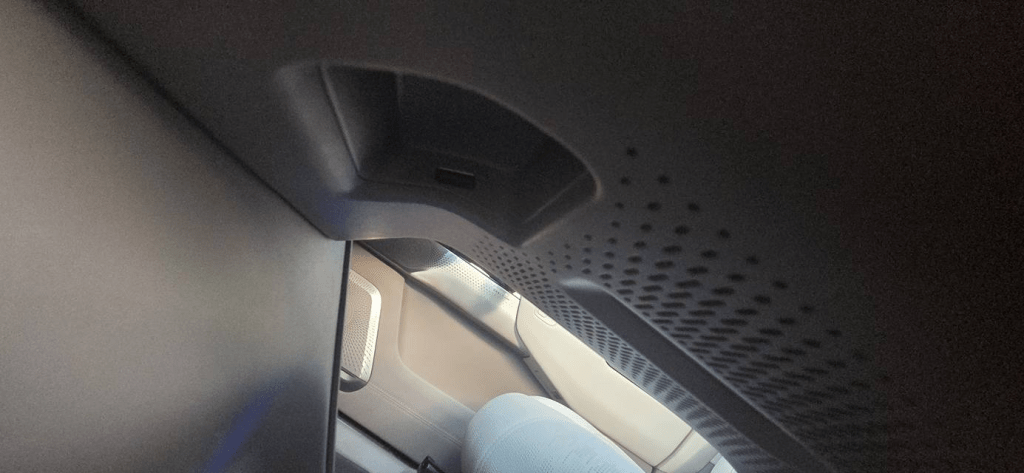
Then plug the USB-A into your car.
It goes into the Sentry mode spot/location under your wireless phone charger (not into the lower left USB-C as per screen picture/information, which has the incorrect folder name also).
Now we need set them up to play when you lock/unlock the car.
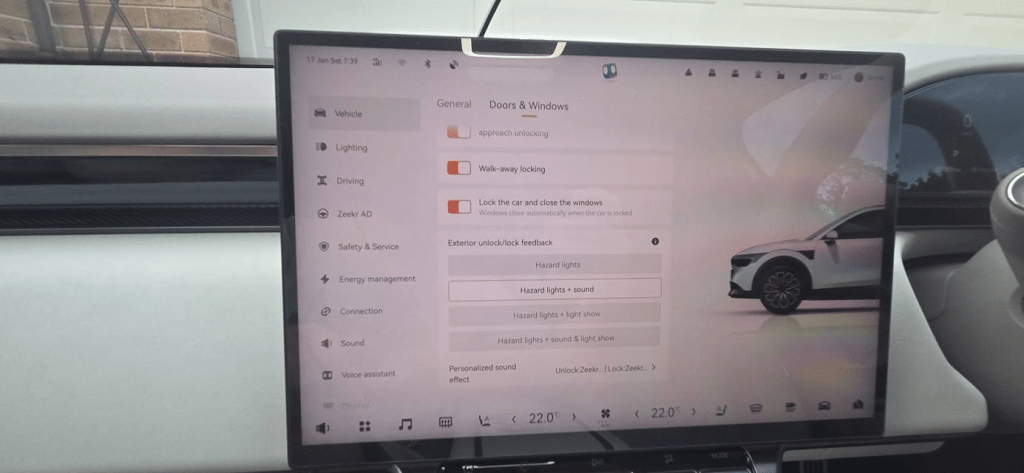
So, select the car menu icon at the bottom right of your main screen.
Then, on the left hand side of the menus, select Vehicle.
Then, up the top, select Doors & Windows.
Then, scroll down all the way to the bottom and under the Exterior unlock/lock feedback menu.
Then, select the Hazard lights + sound.
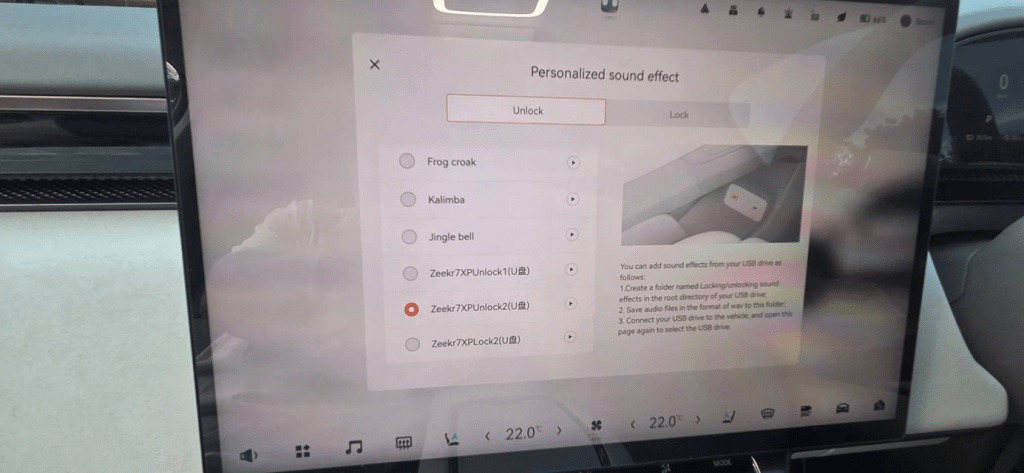
Then, you will see the Personalized sound effect show up underneath.
Then, select that and scroll to the bottom to select your newly added WAV files.
Once you’ve selected the files you want they are saved into another directory onto the car itself.
So you could delete the sound files and the fokder from the USB-A now if you wanted to.
But, I just leave them there on the the USB-A.
That way you can always change sounds, and go back to your custom sounds again later on you want.
So that’s it, your sorted and your most very welcome, enjoy everyone, cheers Storm
He has a video on the Facebook site Zeekr Insiders Australia | Facebook
 My Zeekr 7X
Leave a comment